Coldcard Firmware Bug: Affected Versions and Safe Migration Steps
Contents
- What actually happened: the RNG bug, not a physical hack
- Affected firmware versions and device models
- Is your seed vulnerable? Decision checklist
- Why firmware updates alone do not save your coins
- Safe migration: step-by-step process
- Single-sig vs multisig and reconnecting to spend and off-ramps
- Frequently asked questions
Quick answer
A 2021 firmware bug weakened seed generation on some Coldcard devices. Seeds on Mk2/Mk3 firmware 4.0.1 to 4.1.9 had about 40 bits of entropy instead of 128. Attackers brute-forced them remotely starting 30 July 2026, draining over 1,800 BTC. Updating firmware does not fix old seeds. You must generate a new seed on patched firmware and migrate your Bitcoin.
Key takeaways
- Coldcard firmware versions 4.0.1 through 4.1.9 on Mk2/Mk3 and earlier versions on Mk4/Mk5/Q generated seeds with 40 to 72 bits of entropy instead of 128 bits due to a software PRNG fallback.
- Attackers do not need physical access to the device. They brute-force weak seeds remotely using the 12 or 24 public words you may have backed up.
- Updating to patched firmware only protects new seeds. It does not repair seeds already created on vulnerable firmware.
- A strong unique BIP-39 passphrase or 50+ independent private dice rolls added during creation may reduce risk. Coinkite still recommends migration to a fresh seed.
- Safe migration requires patching firmware first, generating a new seed, verifying the fingerprint and address on the device screen, and sending a test transaction before moving the remainder of your Bitcoin.
Coldcard Firmware Bug: Affected Versions and Safe Migration Steps
This guide shows you which firmware versions are affected, how to check your own seed, and a step-by-step migration process. You will end with a fresh seed generated on patched firmware.
What actually happened: the RNG bug, not a physical hack
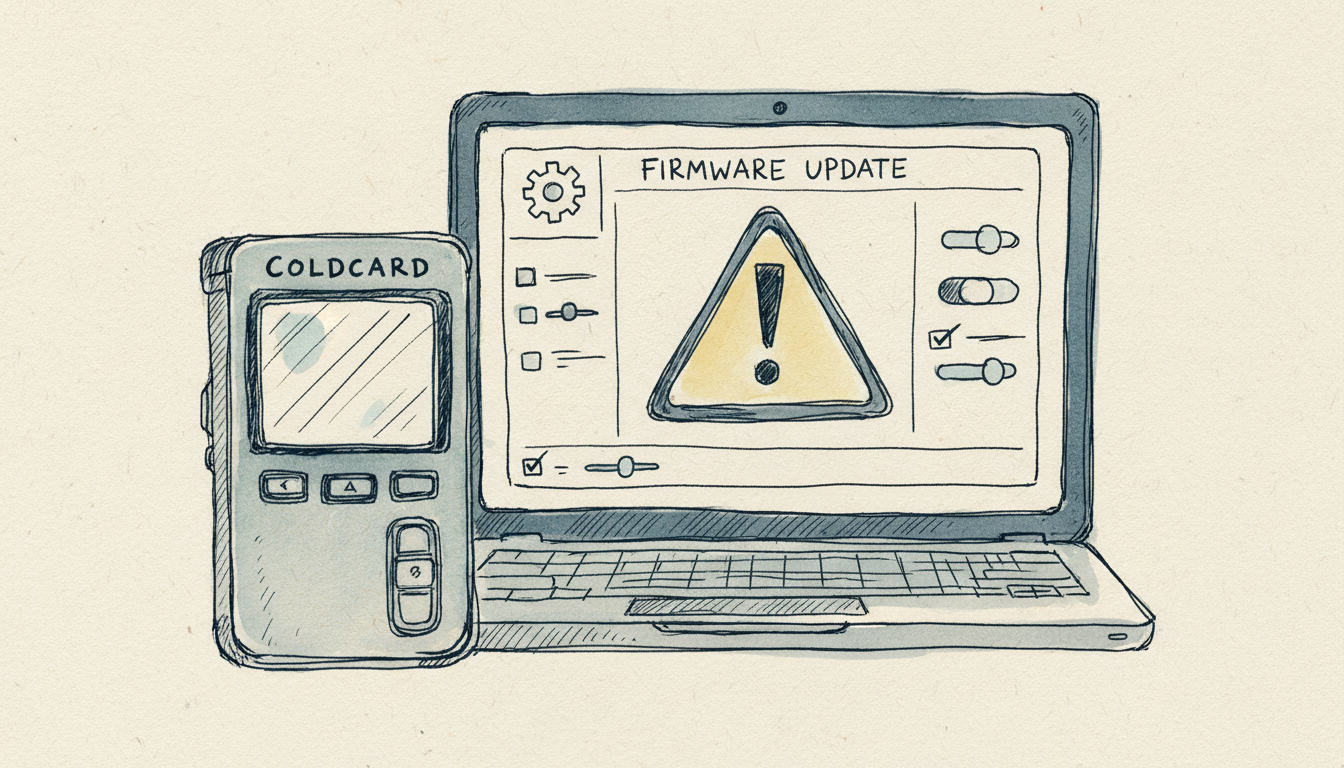
Coldcard is an air-gapped Bitcoin-only hardware wallet made by Coinkite. In March 2021, Coinkite migrated to a new library called libNgU for random number generation. A build and link error caused the device to use a weak software PRNG called Yasmarang instead of the hardware true random number generator during seed generation.
This produced seeds with only about 40 bits of entropy on Mk2 and Mk3 devices. Mk4, Mk5, and Q devices had about 72 bits instead of the intended 128 bits. Attackers could brute-force the seed words remotely without ever touching the device.
The first major sweep occurred on 30 July 2026. Galaxy Research tracked about 1,816 BTC, roughly USD 116 million at the time, stolen from over 5,200 addresses by 5 August 2026. This is not a supply-chain compromise, a physical hack, or a device vulnerability. It is a randomness failure in seed generation.
Coinkite published a technical explanation of the libNgU migration and PRNG fallback. The bug is in seed randomness, not the device itself. Attackers brute-force weak seed words without physical access.
Affected firmware versions and device models
The table shows which firmware versions created weak seeds and which versions fixed the issue. Use it to check your device.
| Device model | Vulnerable if seed created on | Fixed in |
|---|---|---|
| Mk2 / Mk3 | Firmware 4.0.1 through 4.1.9 | 4.2.0 and later |
| Mk4 / Mk5 (standard) | Before firmware 5.6.0 | 5.6.0 and later |
| Q (standard) | Before firmware 1.5.0Q | 1.5.0Q and later |
| Mk4 / Mk5 (Edge) | Before firmware 6.6.0X | 6.6.0X and later |
| Q (Edge) | Before firmware 6.6.0QX | 6.6.0QX and later |
TAPSIGNER, OPENDIME, and SATSCARD are not affected. They use different codebases. Seeds created with 50 or more independent private dice rolls are not considered at risk from this RNG issue alone. A strong unique BIP-39 passphrase reduces risk, but Coinkite still recommends migration.
Check the official Coinkite advisory for the complete version matrix. Firmware updates only protect new seeds. Updating the firmware does not repair an existing weak seed.
Is your seed vulnerable? Decision checklist
Check your firmware version
Navigate to Settings > Upgrade on your Coldcard. On some models it is under Advanced > Upgrade. Note the exact version number.
Match your device and firmware to the vulnerability table
Identify your device model. It is printed on the back or shown in the settings. Cross-reference the firmware version with the table above. If your seed was created on a vulnerable firmware version, it is at risk.
Did you use dice rolls or a passphrase?
- If you used vulnerable firmware and did not add 50+ private dice rolls or a strong passphrase, your seed is at high risk. Migrate immediately.
- If you added 50+ private dice rolls, your seed is not considered at risk from this RNG issue alone.
- If you used a strong unique BIP-39 passphrase, your risk is reduced. Coinkite still recommends migration.
- If you do not have access to the device or its history, assume the worst and migrate.
You cannot check whether a seed was created on vulnerable firmware if you no longer have the device. Treat any affected seed as compromised.
Why firmware updates alone do not save your coins
A firmware update fixes the random number generator for future seed generation only. It does not change the entropy of seeds already created on vulnerable firmware. The weak seed words themselves remain brute-forceable.
A PIN protects the device locally but does not protect seed words that are already weak. Air-gapping the device does not prevent remote brute-force of weak seed words. The private key derived from a weak seed is weak.
Think of it this way: updating a lock on a door does not repair a key that was already copied. You need a new key. Patching firmware protects only new seeds. Your existing seed remains weak and must be migrated to a new one.
Safe migration: step-by-step process
Before you start
- Back up your current seed phrase and passphrase, if used, in a secure location you trust.
- Update your Coldcard firmware to the patched version for your device model.
- Do not enter your seed or passphrase into any website, software wallet, or online tool. Use only the device itself and trusted offline software like Sparrow Wallet.
Generate and verify the new seed
- On the patched device, generate a new seed. Do not import the old one yet.
- Write down the new 12 or 24 seed words and verify them on the device screen.
- Set a new strong unique BIP-39 passphrase if you want one. This is optional but recommended.
- Note the extended public key fingerprint, called XFP, displayed on the device screen.
- Verify that a receive address generated on the device matches an address you derive independently. Use Sparrow Wallet or similar software with the new XFP.
Test the new wallet with a small transaction
- Send a small test transaction (0.001 BTC or less) from your old wallet to a receive address on the new wallet.
- Confirm the test transaction arrives and is spendable.
Move the remainder of your Bitcoin
- Once confirmed, send the remainder of your Bitcoin to the new wallet.
- After all funds are moved and confirmed, securely destroy the old backup. Burn it or shred it.
Always test with a small transaction first. Verify the XFP and address on the device screen before moving larger amounts.
Single-device migration workaround
If you only have one Mk2 or Mk3 device, use the Add Dice feature on patched firmware 4.2.0 or later. Import 99 or more private dice rolls instead of the old seed. This avoids storing the old weak seed on the device during migration. The full Coinkite migration guidance covers this path in detail.
Single-sig vs multisig and reconnecting to spend and off-ramps
A weak seed on a single-sig wallet means one private key can be brute-forced. All Bitcoin derived from that key is at risk. If you use your Coldcard to sign transactions for a crypto card or off-ramp service, a compromised key compromises every transaction you make.
Multisig wallets, such as 2-of-3, require signatures from multiple devices. Even if one key is weak, the attacker cannot move funds without the other keys. Coldcard is often used as one leg of a multisig setup. If the other legs use different hardware wallets, such as a Ledger or Trezor, multisig provides redundancy.
After migration, use the new seed for all future transactions. Do not mix the old weak seed and the new seed in the same wallet. Consider multisig for large holdings or frequent spending, especially if you use the same key for multiple spend paths like cards, exchanges, and off-ramps.
Frequently asked questions
Was Coldcard hardware wallet physically hacked or supply-chain compromised?
No. The vulnerability is in seed generation randomness, not the device hardware or supply chain. No devices were intercepted or modified. Attackers brute-force weak seed words remotely.
Which Coldcard firmware versions have the seed generation bug?
Mk2/Mk3: 4.0.1 through 4.1.9. Mk4/Mk5: before 5.6.0. Q: before 1.5.0Q. Edge versions vary by device model. Check the firmware version table above for exact ranges.
Does a BIP-39 passphrase protect my seed against this vulnerability?
A strong unique passphrase reduces risk by adding an independent barrier. It does not repair the weak seed itself. Coinkite still recommends migration even if you used a passphrase.
Do I need to generate a new seed if I added 50+ private dice rolls during creation?
No. Seeds created with 50 or more independent private dice rolls are not considered at risk from this RNG issue. Dice rolls add enough entropy to offset the weak PRNG.
What happens if I just update the firmware without migrating my seed?
The firmware update only protects new seeds. Your existing seed remains weak and can still be brute-forced. You must generate a new seed on the patched firmware and move your Bitcoin to a wallet derived from that new seed.
Are Coldcard Mk4, Mk5, and Q also affected by this bug?
Yes, but with less severity. Mk4, Mk5, and Q seeds had about 72 bits of entropy instead of 128 bits. They are still vulnerable to brute-force but require more computational effort than Mk2/Mk3 seeds, which had about 40 bits. Patched firmware versions are available for all models.
Frequently asked questions
Was Coldcard hardware wallet physically hacked or supply-chain compromised?
Which Coldcard firmware versions have the seed generation bug?
Does a BIP-39 passphrase protect my seed against this vulnerability?
Do I need to generate a new seed if I added 50+ private dice rolls during creation?
What happens if I just update the firmware without migrating my seed?
Are Coldcard Mk4, Mk5, and Q also affected by this bug?
Related tools
Keep reading
Crypto Debit Card Risks: 7 Checks Before You Spend
Crypto debit card risks include volatility, counterparty failure, hidden fees, and tax events. Use a regulated issuer, stablecoins, and small balances.
Cold Wallet Guide: Secure Crypto Storage in 2026
Learn how to set up a cold wallet, back up a seed phrase, and use cold storage with crypto cards. Practical security steps, no fluff.

Crypto-Friendly Banks in 2026: The Best Banks for Personal and Business Crypto Use
The most crypto-friendly banks for personal and business use in the US, UK and Europe, with each bank's crypto limits, fees and the catch before you open an account.